 View full image ↗
Prove the renderer before touching OBS
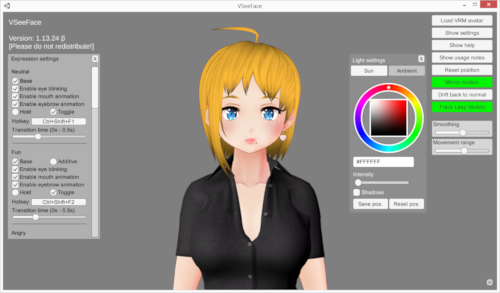
Open the avatar application on a plain, high-contrast background and confirm that the full model is present. Move one prop or strand beyond the usual silhouette. If it is already missing, cropped or opaque there, OBS cannot restore it. Save the application, model version and output mode in the scene note; “the avatar app” is too vague when one tool can offer window capture, virtual camera, Game Capture or a texture-sharing route.
For VSeeFace, the official guide documents transparent OBS Game Capture, Spout2 and virtual-camera output. Pick one route for the first diagnosis. Mixing routes while troubleshooting creates two new variables every time you click.
A black box is often missing alpha
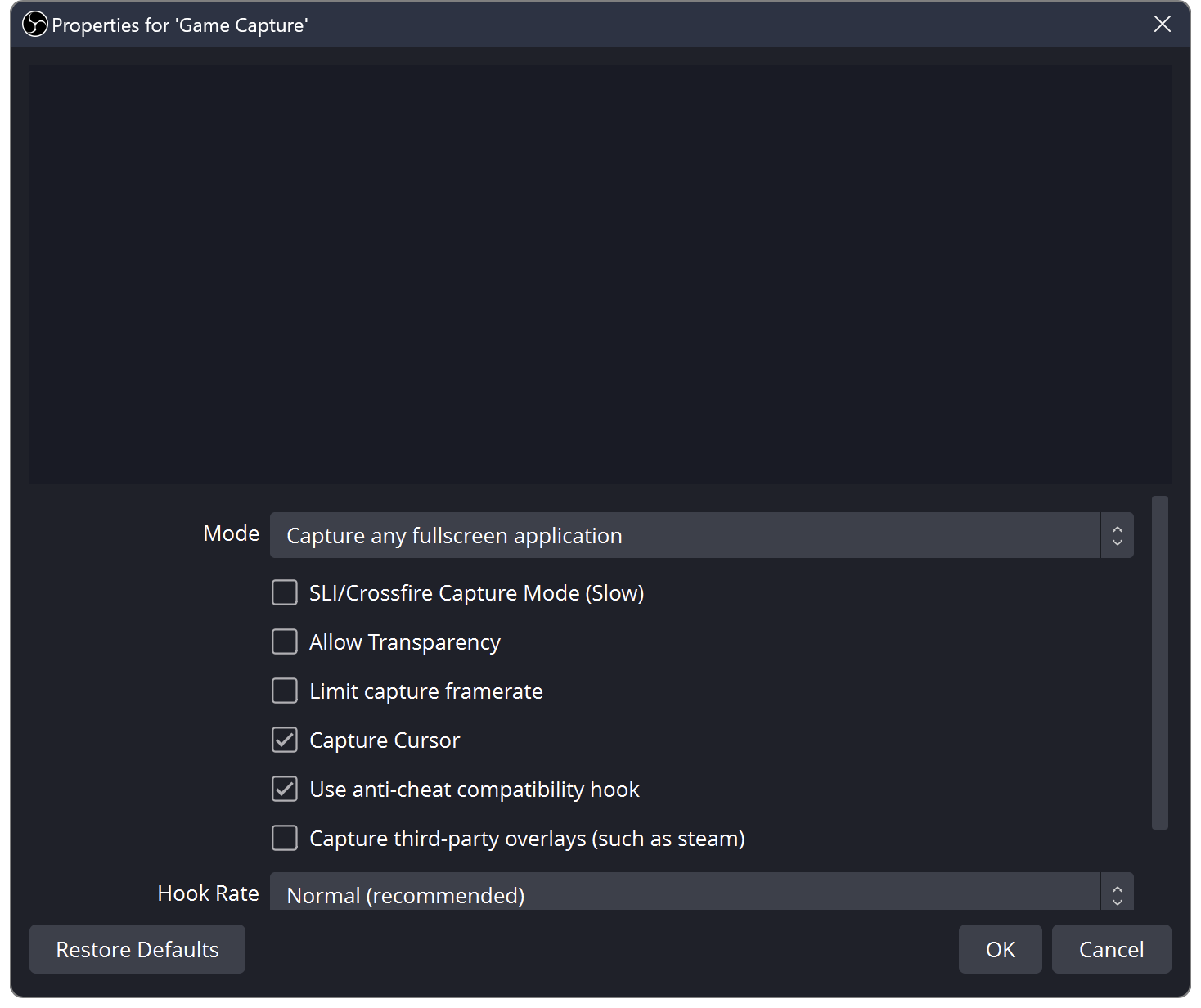
OBS’s Game Capture documentation includes an Allow Transparency option for games and 3D applications; it is off by default. If the avatar application is producing transparent output but OBS treats the capture as opaque, the empty pixels arrive as a black rectangle. Enable transparency on that source, then place a loud temporary color beneath it. If the color shows around the character, alpha is passing through.
If nothing changes, confirm that Game Capture is attached to the intended window and that the application’s transparent mode is enabled. On platforms where OBS says Game Capture is unavailable, use the documented platform capture source or an application-supported route rather than copying a Windows-only recipe.
Read the source list from top to bottom
OBS states that sources higher in its Sources list appear above lower ones and can hide them. Put the avatar above the game or background, with intentional foreground overlays above the avatar. Toggle the eye icon one layer at a time. If the model reappears when a frame or browser source is hidden, transparency was not the problem; stacking was.
Next reset the avatar source transform before recropping. A source can be perfectly transparent and simply live outside the canvas or behind a mask. If an alpha-mask filter is involved, OBS documents that transparent regions of an alpha-channel mask remove the corresponding source pixels. Disable filters temporarily and restore them one by one.
Use a four-frame fault card
Capture four private screenshots: avatar app, OBS source properties, OBS source list and final preview. Label the expected transparent area in each. This proposed card gives a collaborator evidence without exposing the whole desktop. Crop out account names, notifications and unrelated windows before sharing it.
Finish with motion, not just a still. Turn the head, trigger the widest expression and move any tracked hands or props to the canvas edge. Watch for a bounding box that clips only during motion and for halos that appear against light and dark backgrounds. The workflow does not promise one capture route will be best on every machine; it tells you which stage changed the pixels so the next fix is aimed at the right place.
Sources & limits
OBS documentation establishes Game Capture transparency, source ordering and alpha-mask behavior; VSeeFace documents supported output routes. The four-frame fault card and test sequence are editorial troubleshooting suggestions, not reported hands-on results.
- Game Capture Source
first-party · Publication date not stated · Updated 11 January 2022 · Retrieved 19 September 2026 - Sources Guide
first-party · Publication date not stated · Updated 11 January 2022 · Retrieved 19 September 2026 - Image Mask/Blend Filter
first-party · Publication date not stated · Updated 11 January 2022 · Retrieved 19 September 2026 - VSeeFace — official documentation and FAQ
first-party · Publication date not stated · Retrieved 19 September 2026
Send a correction with the passage and supporting source.