 View full image ↗
Draw four boxes before comparing devices
Write sensor, processor, transport and receiver. A webcam observes the face, the computer processes its image, and the tracking app maps results into the model. In VTube Studio, a phone can process face tracking and send data to the desktop over Wi-Fi or, for iOS, USB. A body system such as mocopi connects wearable sensors to its phone app, calibrates their orientation, then can send motion data to an external receiver.
Those are different architectures, not simple quality tiers. The right one depends on which motion matters, whether the stream computer has headroom, what connections are acceptable and whether the model has parameters or bones ready for the data.
Webcam: short path, shared computer
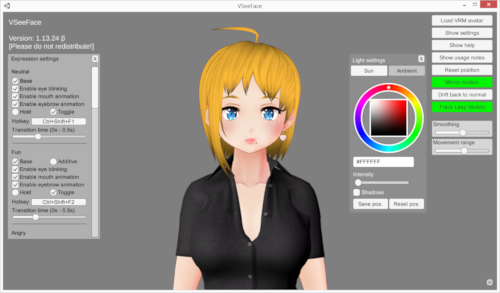
A webcam route has few moving parts and keeps setup on the desktop. VTube Studio documents head angle, position, mouth, brows, eye openness and other available inputs for webcam tracking, while noting that the work adds CPU load. Its settings also distinguish camera frame rate from application frame rate and store calibration separately.
Use this path when the required expressions are present and the computer can run tracking, avatar rendering, content and encoding together. Test failure states deliberately: cover one eye, look away, dim the light and load the game. The result tells you about this whole dataflow, not about webcams as a species.
Phone: remote sensing still needs a receiver
Apple’s ARKit exposes named blend-shape coefficients for facial features. VTube Studio’s documentation says its iOS and Android apps can send tracking to the desktop and that iOS USB is available as an alternative to Wi-Fi. A phone can therefore move some tracking work away from the stream computer, but it adds a device, connection and receiving configuration.
Compare paths using the same five actions and the same model: neutral, blink, eye turn, smile and quick head turn. Record missed actions, delay you can perceive in the final capture and what happens after a temporary disconnect. Do not declare a winner from the number of available parameters; an unrigged input has nowhere useful to go.
Body sensors: calibration is part of the show file
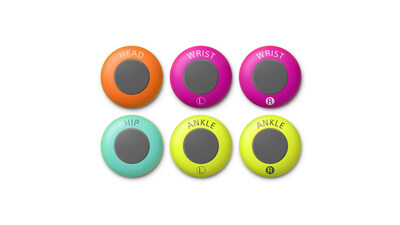
Sony’s mocopi guide describes six named sensor positions—head, wrists, ankles and hip—and tells users to calibrate after putting them on. It also calls for recalibration when a sensor is reattached or the user changes, and a pose reset when captured motion drifts from the performer. Sending to an external device adds an IP address, outbound port, transfer format and possible firewall failure.
For any body route, save a preflight card: attachment order, calibration pose, floor direction, receiver address, target skeleton and reset cue. Then choose the smallest tracking surface that serves the format. A seated conversation may gain more from reliable face and hand cues than from six unattended body sensors; a dance piece makes the opposite trade. That is production design, not a universal upgrade ladder.
Sources & limits
VTube Studio, Apple and Sony documentation establish the available data paths and calibration steps. The four-box diagram, comparison actions and format-based choice are editorial methods; no device-quality or latency ranking is claimed.
- VTube Studio Settings
first-party · Publication date not stated · Updated 9 September 2023 · Retrieved 19 September 2026 - ARFaceAnchor.BlendShapeLocation
first-party · Publication date not stated · Retrieved 19 September 2026 - Mobile Motion Capture QM-SS1: Recalibration
first-party · Publication date not stated · Retrieved 19 September 2026 - Mobile Motion Capture QM-SS1: Sending motion data to an external device
first-party · Publication date not stated · Retrieved 19 September 2026
Send a correction with the passage and supporting source.